
CiviParty

Icon for NDITech Toolkit tool
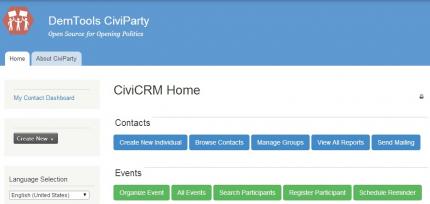
Screenshot of NDITech Toolkit tool

ORGANIZE YOUR SUPPORTERS with CiviParty. Based on a streamlined version of the popular open-source database CiviCRM, CiviParty allows political parties and civic organizations to organize events, contact or survey supporters via SMS, reach large audiences via blast email or printed mail merge, and track engagement. Previously, these tools were available only to large political campaigns; now small organizations anywhere in the world can tap into the power of organizing data.

You can log in to the demo below with the username "demo" and the password "demo."

Buttons
How to Get the Tool: 
  Thanks to cloud-based hosting of DemTools, we are able to instantaneously spin up a new versions of CivParty. However, this service is currently only available to NDI partner organizations. If you are a partner organization and would like your own copy of CiviParty, please contact NDItech at [email protected]. If you are not a partner organization, these tools are open source and relatively easy to download and install. You can get the tool by following the installation instructions below.    Installation Instructions   To install the CiviParty DemTool, you'll need a Linux server, comfort working with LAMP web stacks, some systems administration experience, and time to play around. This tool is built upon Drupal and CiviCRM content management systems.    You'll need to begin by installing the latest version of Drupal here. Follow the Drupal install instructions for your installation and system config.    After you've successfully installed Drupal, you need to install CiviCRM from the CiviCRM website and follow their guidelines for install and setup. CiviCRM is a web-based contact relationship management tool that integrates with Drupal for content management. Do NOT download or use .module or tarball files from drupal.org - they are placeholder files only.    Next, you'll need to download and enable the custom extensions for CiviParty.    Before downloading the extensions, create a directory to store the extensions.     Before downloading the extensions, create a directory to store the extensions.  We like "sites/default/files/civicrm/extensions".   Then, tell CiviCRM where to find the extensions:
  • Administer -> System Settings -> Directories
    • Fill out the "CiviCRM Extensions Directory" setting with the directory you just created
  • Administer -> System Settings -> Resource URLs
    • Fill out the "Extension Resource URL" with the directory you just created in the folloing form:
    • http://yoursite.com/extensionsdirectory (eg: http://www.example.com/sites/default/files/civicrm/extensions)
Then clone the extensions from the NDI Github repository straight into the extensions directory:
  • cd sites/default/files/civicrm/extensions
  • git clone https://github.com/nditech/org.ndi.civiparty-dashboard.git
  • git clone https://github.com/nditech/org.ndi.civi-local-permissions.git
  • git clone https://github.com/nditech/org.ndi.civiparty-config.git
  • git clone https://github.com/nditech/org.ndi.civi-simplifier.git
Finally, enable the extensions within CiviCRM and enjoy your customized tool:
  • Administer -> System Settings -> Manage Extensions

More information on Civi extensions can be found here: http://wiki.civicrm.org/confluence/display/CRMDOC/Extensions